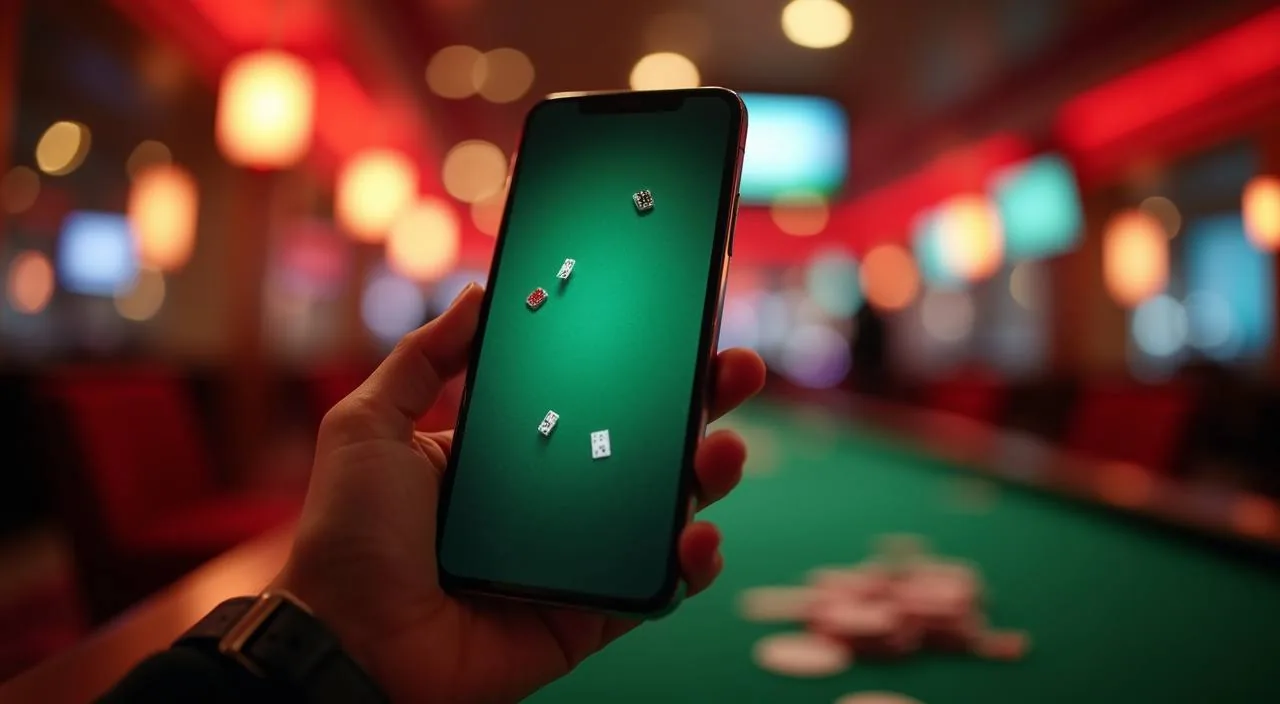
Open aysa777 in your mobile browser and the layout adjusts to your screen size automatically. The navigation bar keeps your account icon, lobby shortcut and help link within reach at the top of the page, so
PAGE BEHAVIOUR
Mobile Access Features Inside the aysa777 Site
These are the rendered page behaviours you can verify directly by opening aysa777 on your device. Each point describes what the mobile layout delivers through the browser, based on how the site is built — not features tied to a native app or unconfirmed installation.
Responsive Layout
The site reflows to fit your screen width, whether you are on a compact Android handset or a wider tablet. Category rows, game cards and account menus resize without cutting off content or forcing a horizontal scroll of the whole page.
Account Navigation
Your wallet balance, transaction records and profile settings are reachable from the header menu on every page. You do not need to return to the home screen to check your account state or find the deposit and withdrawal history tied to Upay or Bank Transfer.
Game Discovery Rail
Slots, live tables, crash games and cricket-led sportsbook categories appear in horizontal rows you can swipe through. Titles from Joker, Microgaming, PlayStar, JDB and Habanero are all reachable from the same lobby without switching sections.
Support Access
The help and support link stays in the main navigation on mobile, so you can reach published contact routes from any page. You do not need to be on a desktop to open a support query or check the help section for account or access questions.
ACCESS STEPS
Mobile Access in 3 Steps
Getting into your aysa777 account on mobile does not require a store download or an APK file — the browser path below covers what is currently published and verifiable.
Open the Current Site
Type aysa777 directly into your mobile browser address bar or use a saved bookmark. Confirm the domain matches before entering any account details. The page should load the full lobby layout within your browser without requiring an install prompt.
Check Browser Compatibility
The site is built for modern mobile browsers. If the layout does not display correctly, try clearing your browser cache or switching to an updated version of Chrome or Safari on your device. Enabling JavaScript is required for the lobby and account pages to load properly.
Sign In to Your Account
Tap the account icon in the top navigation and enter your registered credentials on the login screen. Your wallet balance, payment records and game history will be visible immediately after authentication. Use the published account recovery path if you need to reset your access.
Check for a Native App Option
If aysa777 has published a native app build since this page was produced, the download or install prompt will appear on the site itself or be linked from the account area. Do not rely on third-party sources — the domain is the single point of confirmation.
DEVICE CHECKLIST
Checking Device and Browser Compatibility
Before assuming a display or login issue is account-related, run through this compatibility checklist. The site does not publish specific OS version requirements or minimum RAM figures, so these points focus on what you can verify from your device settings and the site itself.
Browser Version
Use an up-to-date mobile browser. Older browser versions may not render the game lobby or account pages correctly. Chrome and Safari on their current release versions are the most commonly used on this site.
JavaScript Enabled
The aysa777 lobby and account system require JavaScript to run. Check your browser settings to confirm JavaScript is not blocked. Disabling it will prevent game tiles and account menus from loading.
Screen Layout
The layout is designed for portrait orientation on mobile and adjusts for landscape use. If elements appear misaligned, rotate your device or try reloading the page. Tablet users generally see a wider layout closer to the desktop view.
Account Requirements
Access to the full lobby and wallet features requires a verified account. If certain sections do not load after login, check that your account verification steps — visible in the account settings page — have been completed as instructed.
Supported Regions
Availability of the site and its features depends on your local law and eligible regions. If the site does not load or certain features are restricted, this may reflect regional access controls rather than a device or browser issue.
HELP FOR MOBILE
Support Routes Available to Mobile Account Holders
If you run into an issue while accessing aysa777 on your mobile browser — whether it is a login problem, a page not loading or a question about your wallet — the support routes published on the site are reachable from the mobile
Help Section
The help section is linked from the main navigation on both desktop and mobile. It covers account access, wallet queries and general site questions. Open it from the header menu on your device — no separate app or desktop session is needed to reach it.
Account Recovery Path
If you cannot log in on mobile, use the published account recovery option on the login screen. Follow the fields shown there and complete the steps as instructed. Do not share your recovery details with anyone outside the official site process.
Contact Support
For issues not resolved through the help section, use the contact route published in the support area of the site. When raising a wallet or payment query, include your account reference and the transaction detail visible in your account history for Upay or Bank Transfer.
ACCESS TRUST CHECKS
Verifying Your aysa777 Mobile Access Is Secure
Before entering your credentials on any mobile browser session, take a moment to confirm you are on the correct site and that your account details are protected.
Confirm the Domain
Always verify the address bar shows aysa777 before logging in. If the domain looks different — extra characters, a different extension or a redirect you did not expect — close the tab and navigate directly. Do not follow login links from unverified messages or third-party channels.
Review Published Device Guidance
If the site has published specific device or app guidance, it will appear in the account area or help section. Check there first before following any external install instructions. The domain is the single point of verified access for any new app option.
Protect Your Account Credentials
Use a password that is unique to your aysa777 account and not shared with your bKash, Nagad or Rocket wallet. Do not save credentials in shared browser profiles. If you suspect your account details have been compromised, use the published recovery path immediately.
Use the Published Recovery Path
Account recovery steps are published on the login page of the site. If you lose access on mobile, follow those steps exactly as shown — do not use recovery links sent
APP QUESTIONS ANSWERED
Common Questions About the aysa777 App
These are the questions we hear most from people checking whether the aysa777 app is available for their device. Each answer reflects what is verifiable through the site itself — check aysa777 directly for any updates to native app availability.
Is there a native aysa777 app available to download?
At the time this page was written, no confirmed native app listing has been published for app stores. The site is fully accessible through your mobile browser at aysa777. Check the site's account area or help section for any app announcement that may have been added since.
Can I access my aysa777 account from any mobile browser?
The site is built to work on modern mobile browsers with JavaScript enabled. Chrome and Safari on current releases are the most commonly used. If your browser is outdated or has JavaScript blocked, some pages may not load correctly — updating the browser usually resolves this.
Will the game lobby load properly on my phone screen?
The layout is responsive and adjusts to your screen size. Game category rows, including slots, live tables and crash games, are displayed in horizontal swipe rails that fit a phone screen. If something looks misaligned, try reloading the page or rotating your device to landscape.
Do I need to verify my account before using the mobile site?
Full access to the wallet and certain game categories requires a verified account. The verification steps are shown in your account settings page after login. Complete those steps as instructed to unlock the full lobby and manage payment records for Upay or Bank Transfer.
Where do I find support if the aysa777 app or mobile site is not loading?
Open the help section from the main navigation menu — it is visible on mobile at the top of every page. For account or wallet issues, use the contact route published in the support area and include your transaction reference from your account history to help resolve it faster.
Is it safe to log in to aysa777 over a mobile connection?
Always confirm the address bar shows aysa777 before entering your credentials. Avoid logging in over shared or public networks where possible. Use a password unique to this account and not shared with your bKash, Nagad or Rocket wallet to keep your account access protected.
 App / Slots